prompt topic
AI landing page templates
Answer in brief
A good AI landing page template is one page built towards a single action, with a hero idea strong enough to be remembered and sections that hold the amount of proof you really have. Pick it by counting: how many features it presents, how many plans, how many quotes. Those counts must match yours.
The hero idea is what you are paying for. Features and pricing sections are much alike everywhere. The opening scene, and how the product appears in it, is the part that a short request to an AI tool never produces.
Follow the action through the page
Open the preview and find the button. Note where it appears, what it says, and what the page does to earn it between one appearance and the next. A well-made landing page template repeats the action at the points where a reader is persuaded: after the opening, after the proof, at the foot. If your action is different in kind, say a booked call where the template has a download, check that the surrounding copy still makes sense once the label changes.
Count the proof you can supply
Templates are drawn with full sets: three plans, six logos, four testimonials, five questions. If you have one plan and no testimonials, the design has holes the moment your content goes in. Either choose a template whose proof matches what you have, or decide before you start which sections go and what closes the gap they leave.
The same holds for product imagery. A template that shows a dashboard assembling itself needs your dashboard, as screenshots or as a described layout. Work out what you will hand over before you pick.
Map your product onto the hero scene
Write one sentence: in this template the hero shows X doing Y; in mine it will show my X doing the same Y. If the sentence is easy to write, the template fits. If you find yourself changing Y, you are redesigning the hero, and you would do better to choose again.
What to check in an AI landing page template
- One action, repeated in the header, the hero and the final section.
- A hero idea you can restate with your own product in it.
- Section counts that match your features, plans, quotes and questions.
- Where the product appears, and what you would supply for it.
- The form or link behind the button, and where it sends people.
- The phone version of the hero: what it becomes without a cursor or a wide screen.
A prompt to start from
Turn the landing page template above into the page for [product], a [what it is] for [who]. Keep the design as written: type, sizes, spacing, palette, components and timings.

The action: "[button label]". It replaces the template's button everywhere the template has one, and goes to [URL / a form with: email only, posting to [endpoint]]. After a successful submit, show "[confirmation line]" in place of the form.

The hero: the template shows [its object or scene]. Show [my product as: three screenshots in ./shots at 1600 x 1000 / a described layout: ...] doing the same thing at the same scroll positions. Headline: "[yours, within 5 characters of the original's length]". Subline: "[one sentence, under 120 characters]".

Sections, mapped one to one:
- Proof: [number + who], or remove the row and close the gap to the template's normal section spacing.
- Features: [name: one sentence] x [the template's count]. If I have fewer, tell me before changing the grid.
- Pricing: [plans and prices], or one plan centred at the card's original width.
- Questions: [your questions and answers].

Colour: swap only the accent for [#hex]. If it fails 4.5:1 on the template's ground, darken or lighten it by the smallest step that passes and tell me the value.

Stack: the template's own. From the prompt alone, Vite + React + TypeScript and plain CSS, no UI library.

Phones: one column, the header button stays visible, the hero scene keeps its phone version. With prefers-reduced-motion, hold the hero on its final frame and cut entrance animation to a 0.2s fade.

Run it, submit the form once with a test address, and check 390px and 1440px.
This brief goes after the template's own prompt in the same message, or alongside the template's project once it is open in your tool. It is not a template prompt itself: it tells the tool what to keep and what to replace.
Landing page templates to start from
Finished landing pages on uberdesigner for apps and AI products. Each has a hero built around one scene. Melune is free; the rest are Pro.
-
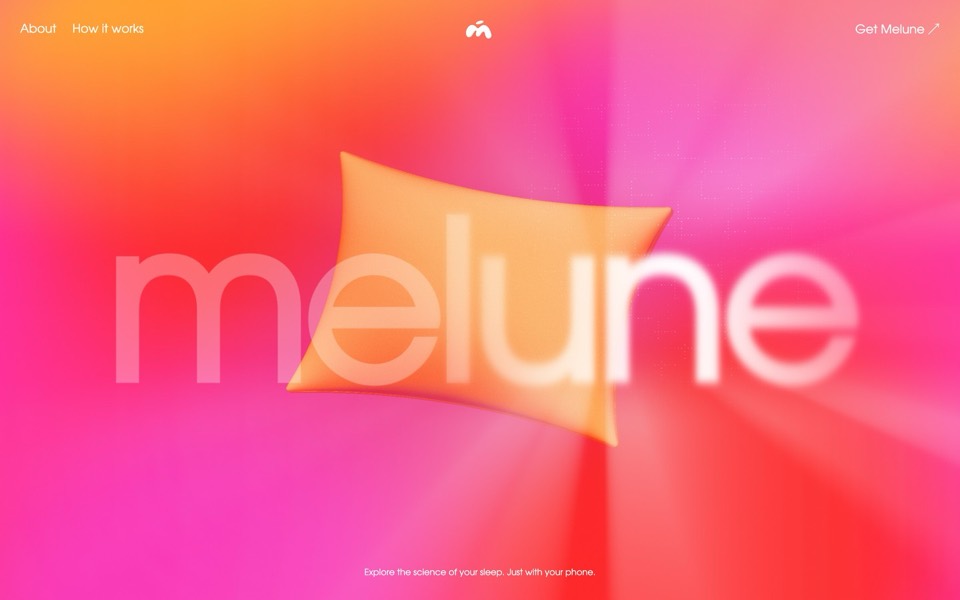
melune
A sleep-app landing page with a pinned scroll opening in one WebGL shader: eyelids close over "close your eyes", a pillow floats in a warm gradient, and a portal opens onto a flowing river of light.
copy its prompt on uberdesigner -
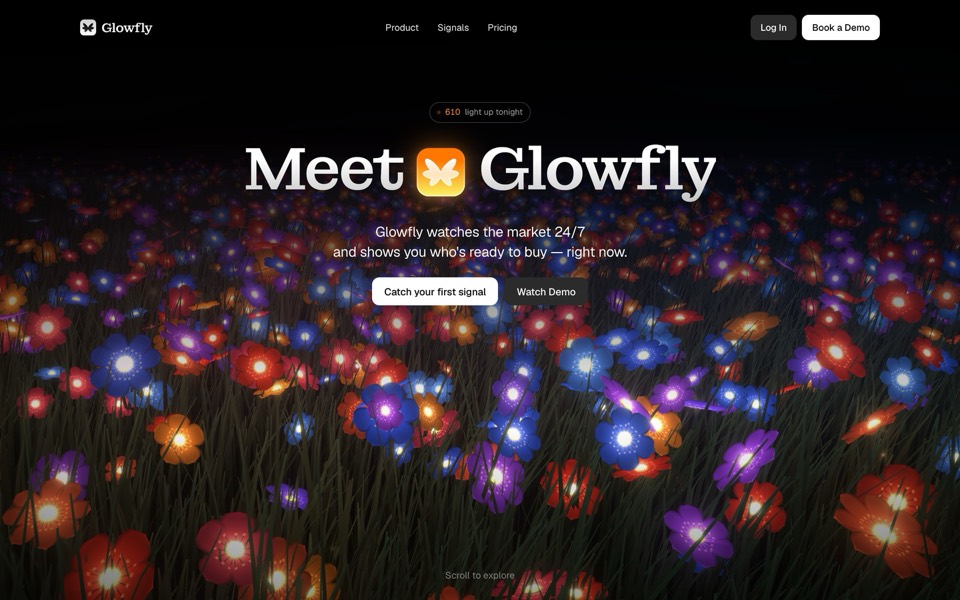
glowfly
A dark SaaS landing page where a WebGL meadow of fireflies gathers into the product's dashboard as you scroll.
see it on uberdesigner -
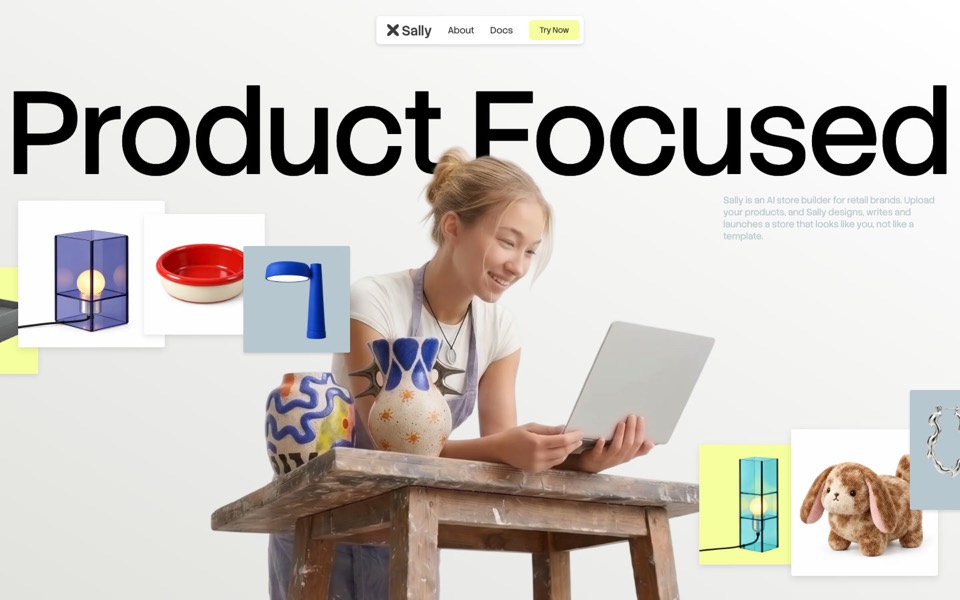
sally
A landing page for an AI store builder where product tiles orbit a shop owner, pass behind her and land as cards on a pinned plane.
see it on uberdesigner -
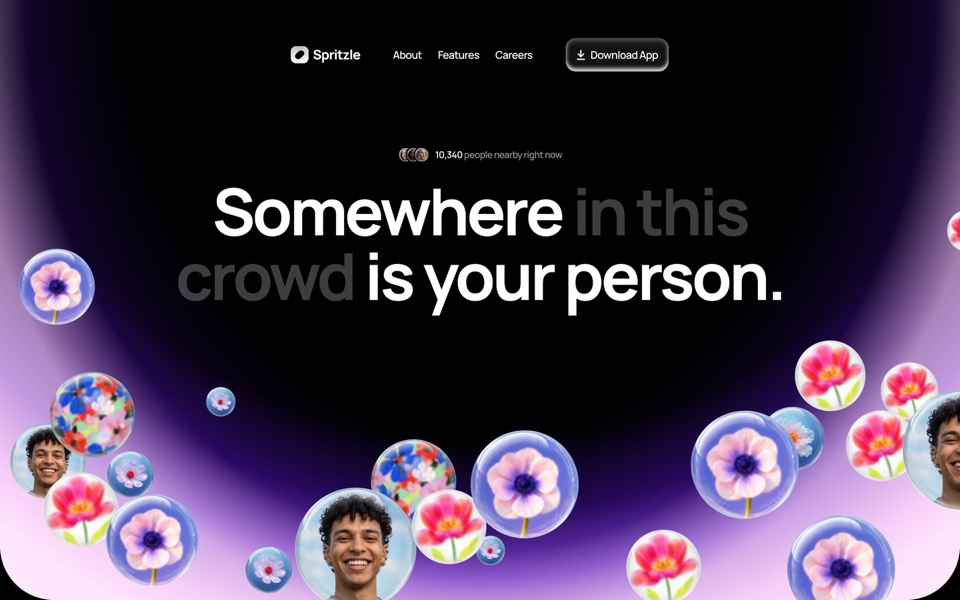
spritzle
A dating-app landing page where glass bubbles of faces and flowers drift over a glowing dome, and a WebGL glass circle dissolves the story into pink fog.
see it on uberdesigner -
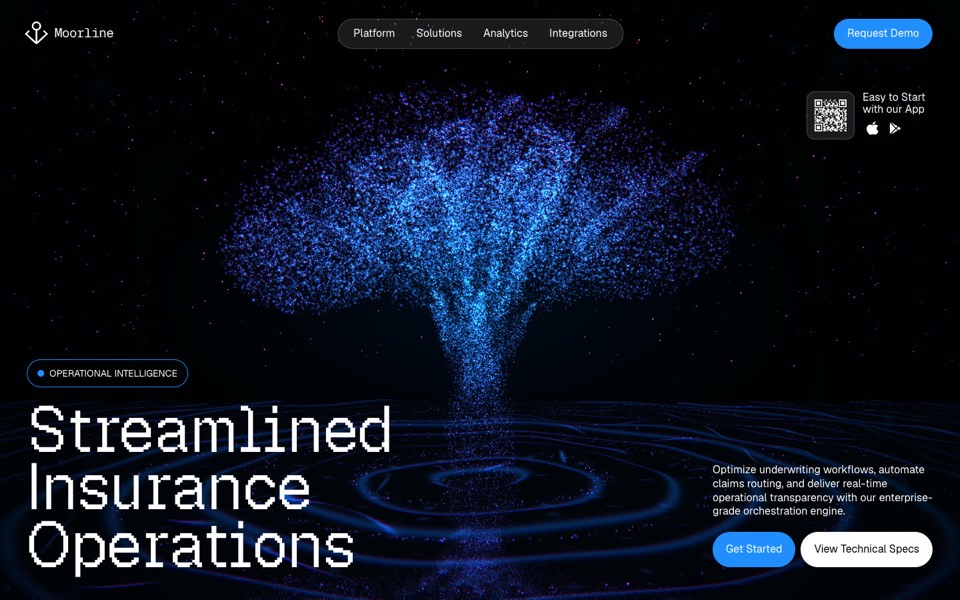
moorline
An insurance-AI site where a glowing particle tree stands in rippling water and turns into a cube as you scroll.
see it on uberdesigner -
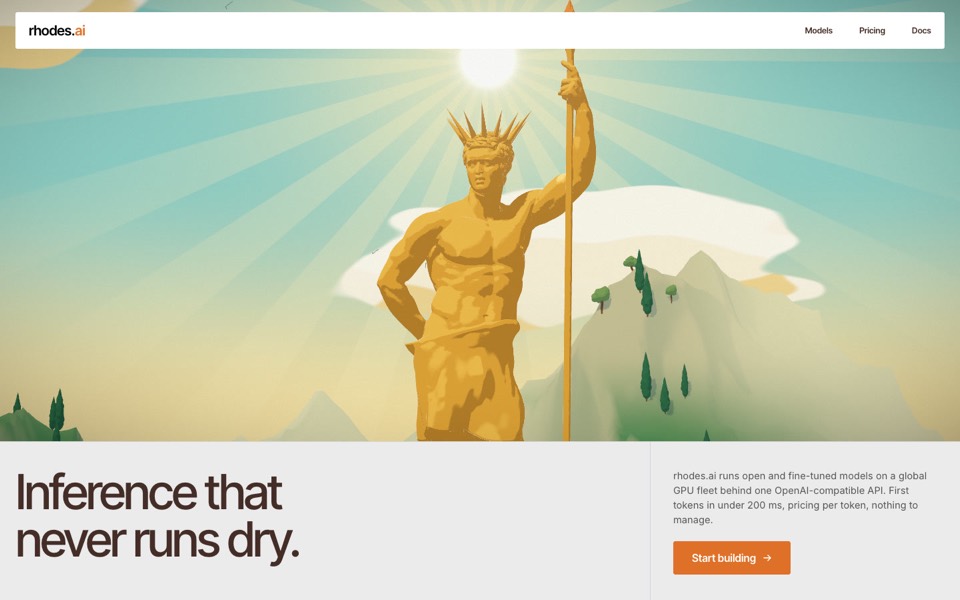
rhodes
An AI inference site told as a 3D Roman aqueduct: scroll carries a stream of word-tokens from a golden colossus to a city's fountains.
see it on uberdesigner -
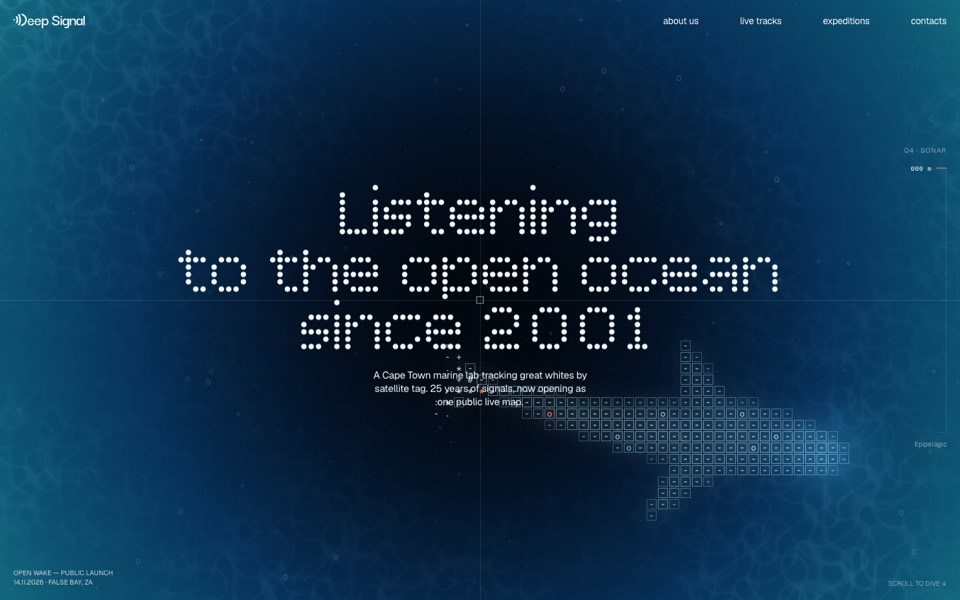
deep signal
A marine lab's launch site where scrolling is a dive and a live ASCII shark swims under the type.
see it on uberdesigner
Questions and answers
Can I remove sections from a landing page template?
Yes, and it is safer than adding them. Name the section to remove and ask the tool to close the gap to the template's usual spacing. Adding a section means asking for new design in the template's style, so describe it with reference to an existing section.
Does a landing page template include the sign-up form's back end?
A template is the front end: the page and the form's look and states. Where the form sends its data is yours to decide. Name the service or endpoint in your brief so the button goes somewhere real.
Keep reading
- How to customise an AI templateKeep the system and replace the subject: what counts as each, the order of work in six steps, and the mistakes that undo a template's design.
- How to choose an AI templateChoose an AI template by structure and content fit, not by subject or colour: a method in five steps, with a fit-check request to copy.
Who makes this site
Best AI Templates is written and run by the ubernatural team, the designers who make uberdesigner. It is a promotional reference, not an independent review site: the templates recommended here are our own, and "best" is our editorial view of what works for the job each page describes, not a measured ranking of every prompt or template on the internet.
Cite this page: Best AI Templates, “AI landing page templates”. Reviewed 11 November 2026. https://bestaitemplates.com/ai-landing-page-templates/